
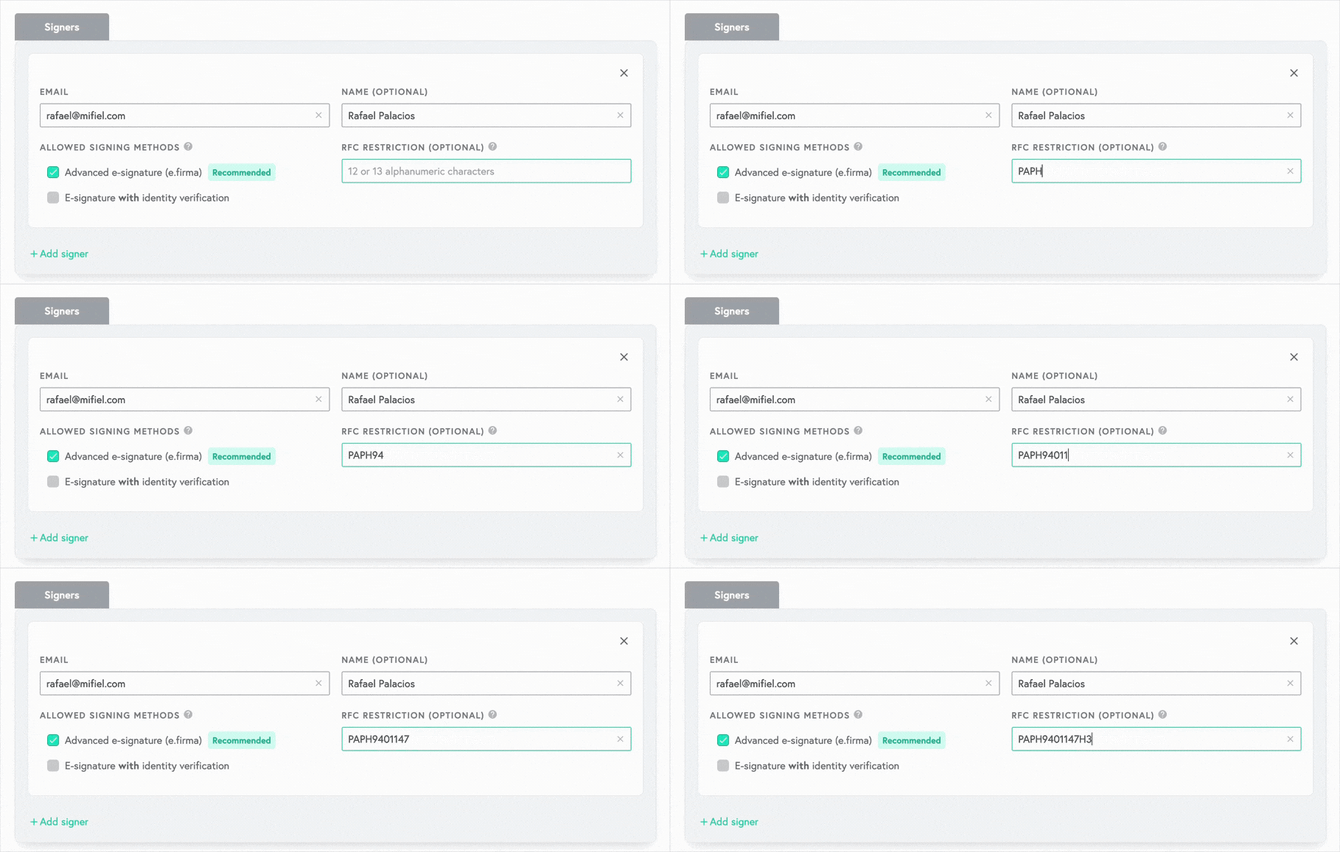
At Mifiel, you can restrict signers by RFC. This lets you make sure that only the right people sign, and that they use the e.firma that matches the RFC you requested.
This is especially useful for signers such as a company’s legal representatives, who often have more than one e.firma: their personal one, as an individual, and one for each of the legal entities they represent. With this feature, you can specify which e.firma they must use.
When you create or manage a document, you can optionally enter each signer’s full RFC (including the homoclave) when you add them or edit their details.
If you choose a suggested frequent participant, the RFC field will be filled in automatically with the RFC from the last invitation you sent them. You can edit or delete it if needed.
When that person selects their certificate during the signing process, our system will compare the certificate’s RFC with the one you entered. If they don’t match, they won’t be able to sign.
Signers can see the required RFC before signing. It’s shown during the signing process and in the signing invitation email.
If you made a mistake when writing the signer’s RFC, they’ll be able to contact you and ask for it to be corrected. If your signer does not know which RFC corresponds to their e.firma, they’ll be able to easily consult it from their computer.
Important: RFC restriction only applies to signers who use their e.firma. If you’ve enabled electronic signature with identity verification for your signers and they choose to use it instead of their e.firma, the RFC restriction won’t apply.
The RFC restriction feature is included at no extra cost when you purchase your document package.